
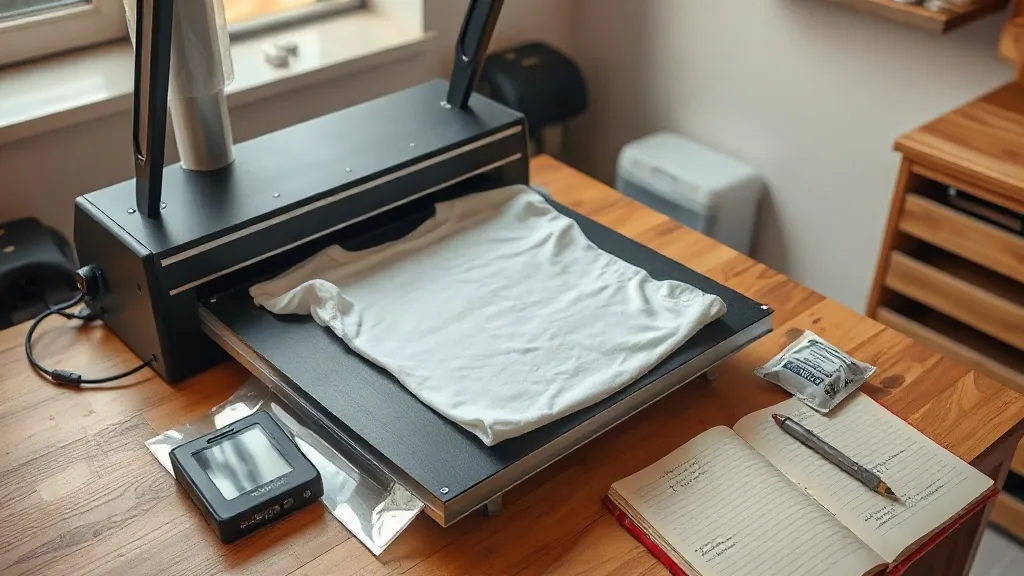
Walk into any small print shop that added dtf transfers to its lineup in the last couple of years and you will usually hear the same story: the first week felt like magic, and the second week felt like a puzzle. A design that pressed perfectly on Monday bubbled on Wednesday. A cotton tee held up beautifully while a poly blend cracked along the shoulder seam. None of this means the process is unreliable. It means DTF rewards a little understanding of what is actually happening between the film, the powder, and the platen.
This guide is written for the person running one or two presses in a back room, not for a factory floor. It covers how to prepare artwork that presses cleanly, how to dial in your settings without guessing, which fabrics cooperate and which need extra care, and what to do when a transfer misbehaves. Everything here is based on the everyday realities of small-batch production: short runs, tight deadlines, and customers who notice details.
What Makes DTF Different From Other Transfer Methods
Direct-to-film printing works by printing a mirrored image onto a coated film, applying a hot-melt adhesive powder to the wet ink, and curing that powder until it becomes a flexible glue layer. The result is a transfer that can be heat pressed onto fabric without pre-treating the garment and without cutting a vinyl carrier. That single fact, no weeding, changes the economics of small orders more than any other feature.
Compare it to the alternatives most shops already know. Screen printing needs a screen per color and makes sense at volume. Vinyl needs cutting and weeding, which turns a five-color logo into twenty minutes of tweezers work. Dye sublimation only bonds to polyester and lighter colors. DTF sits in a useful middle ground: full-color work, tiny quantities, and a wide fabric range, all from one printer and one press.
The trade-off is that DTF is a chemistry process, not just a printing process. The powder has to be applied evenly, cured properly, and stored dry. Skip any of those and the transfer will look fine on the film and fail on the shirt. Once you accept that the film is only half the job, the rest of the workflow becomes much easier to troubleshoot.
Preparing Artwork That Presses Cleanly
Most transfer defects trace back to the file, not the equipment. A design that looks sharp on screen can press with ragged edges, muddy fine lines, or a visible film halo if it was built without the process in mind.
Resolution and line weight
Print at 300 DPI at final size, and treat thin strokes with suspicion. A hairline that measures 0.3 mm on screen may print as a broken line after the powder settles. If a customer insists on delicate script, thicken the strokes slightly rather than hoping for the best. It is far easier to adjust a file than to explain a returned shirt.
Mirroring and bleed
Always mirror the artwork before printing, then double-check it on the preview. A mirrored logo on a left chest is the single most common avoidable error in a busy shop. Add a small bleed around the design so the adhesive layer extends just past the ink edge; this prevents the film from peeling at the corners during the press.
Color expectations
DTF prints on a white ink base, which means colors sit on top of white rather than sinking into the fabric. Bright colors stay bright on dark garments, which is one of the biggest selling points. The catch is that very light colors on white shirts can look slightly chalky, and large areas of solid black can show a faint sheen. Show customers a physical sample when color accuracy matters, and keep a small library of pressed swatches on the fabrics you sell most.
Dialing In Your Press Settings
Every press behaves a little differently, so published settings are a starting point rather than a rule. The variables that matter are temperature, pressure, and time, and they interact. Raising temperature without adjusting time will scorch the film; adding pressure without checking the platen will flatten the adhesive into the weave.
A reliable starting point
- Temperature: around 150 to 160 degrees Celsius for most fabrics
- Time: 10 to 15 seconds for the initial press
- Pressure: medium, firm enough that the film sits flat with no lifted edges
- Peel: cold or warm peel depending on the film manufacturer, so test both
Run a test on scrap fabric of the same composition before committing a customer order. Press one transfer at the low end of the range and one at the high end, then wash both. The difference after a wash cycle tells you more than any spec sheet.
Second press for durability
After peeling the film, a short second press through a cover sheet or parchment improves wash fastness noticeably. Ten seconds at the same temperature is usually enough. This step also smooths the texture of the adhesive into the fabric, which makes the print feel less like a layer sitting on top.
Choosing Fabrics With Confidence
One of the practical advantages of dtf is fabric range. Cotton, polyester, blends, canvas, and many synthetics all accept the transfer, which is why shops use it for everything from team jerseys to tote bags. A few fabrics still deserve caution.
Stretch fabrics need a gentle press and a careful peel, because pulling the film while the fabric is stretched can distort the print. Nylon and some coated outdoor fabrics may resist adhesion entirely, so test first. Garments with a heavy water-repellent finish should be washed once before pressing, since the coating can prevent the adhesive from gripping. Delicate knits benefit from a lower temperature and a slightly longer dwell time rather than more pressure.
For customers searching for dtf transfers near me because they want a local option for a small run, the fabric question is usually the deciding factor. Being able to say yes to cotton, polyester, and blends without changing your setup is a genuine competitive edge over methods that force a fabric compromise.
Storage and Handling Between Print and Press
Printed film is not shelf-stable forever. Humidity is the enemy: powder absorbs moisture from the air, and damp adhesive produces transfers that crack, peel, or look cloudy after pressing. Store finished film flat in a sealed bag with a desiccant packet, away from heat sources and direct sun. In a humid climate, a simple airtight storage bin with rechargeable silica packs is worth the small investment.
Handle film by the edges. Finger oils on the printed area can create spots where the powder fails to bond, and those spots will not show up until the shirt has been through a wash. If you must stack film, place a sheet of parchment between layers rather than pressing printed surfaces together.
Fixing Common Transfer Problems
When a transfer fails, work backward through the process rather than changing three settings at once.
- Edges lifting after press: pressure too low or the garment has a surface coating. Increase pressure slightly and re-press through a cover sheet.
- Cracking after washing: under-cured powder or too little powder. Check that the powder is dry and that the cure temperature matches the manufacturer's recommendation.
- Dull or cloudy appearance: moisture in the powder, or a press that is running cool. Verify temperature with an infrared thermometer rather than trusting the display.
- Print feels stiff: too much powder or excessive pressure. Shake off excess powder before curing and ease off the platen.
- Color shift on dark garments: insufficient white ink base. Check the printer's white layer settings and nozzle health.
Keep a simple log of date, fabric, temperature, time, and result for the first month of a new film brand. Patterns appear quickly, and the log turns guesswork into a repeatable recipe.
Frequently Asked Questions
How long do DTF transfers last after washing?
With correct curing and a proper second press, most transfers hold up for dozens of wash cycles. Washing inside out in cold water and tumble drying on low will extend that considerably. Heat and abrasion are what break the adhesive down, so a hot dryer does more damage than detergent.
Can I press DTF onto a shirt that already has a print on it?
You can, but avoid overlapping the new transfer directly on top of an existing print. The old ink layer will not accept the adhesive evenly, and the result tends to lift at the seam between the two. Press beside the existing design or use a cover sheet and a slightly longer dwell time if overlap is unavoidable.
Do I need a special press for DTF film?
A standard clamshell or swing-away heat press works fine as long as it holds temperature steadily and applies even pressure across the platen. A press with a worn silicone pad will cause inconsistent results, so check the pad for flat spots before blaming the film.
What is the smallest order that makes sense with DTF?
Single pieces are viable, which is the main reason small shops adopt the method. Setup time is minimal compared to screen printing, so one-off names, numbers, and short team runs all fit comfortably into a normal workday.
How should I store unused film?
Keep it flat, sealed, and dry. Rolls stored upright for long periods can develop pressure marks, and film left open in a humid room will absorb moisture that shows up later as cloudy or cracked transfers. A sealed bin with a desiccant pack solves both problems.